
 Download
TTR PDF To JPG is an application that can Convert PDF File to JPG,PNG,GIF,BMP,TIF images.
Features
- Android mobile version https://play.google.com/store/apps/details?id=tw.tn.ted.ttrpdfjpg
- Version 3.2 new added feature:
- 1.Thailand Language file added.
- Version 3.1 new added feature:
- 1.Magnification can be entered <= 10 float, ex: 0.5
- 2.Brazil,Hungary Languages files added.
- 3.Some bugs fixed.
- Version 3.0 new added feature:
- 1.convert pdf file to jpg,png,gif,bmp,tif
- 2.auto detect OS is 32bit or 64bit and multilanguages files.
- 3.Drag & Drop directorys and files Supported(Windows).
- 4.select which pages to convert
- 5.Magnification function added.
- 6.Rotation angle added.
- 7.Format file name's pages digits.
- 8.multilanguage supported
- 9.France language added.
- 10.Bolivia language added.
- 11.recursive search subfolders fixed.
- 12.Some bugs fixed.
Project Samples


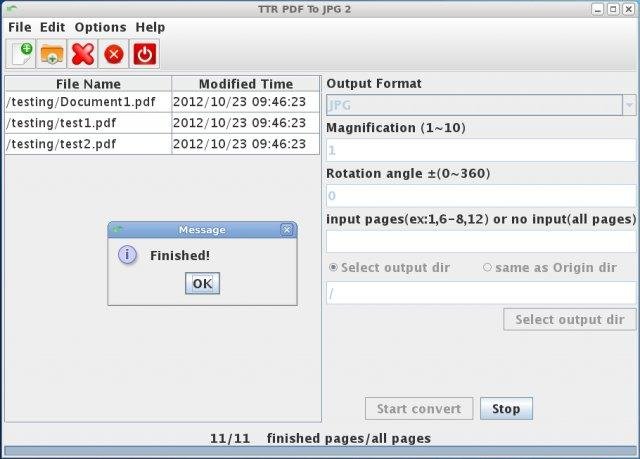

Categories
PDF ConvertersLicense
GNU General Public License version 3.0 (GPLv3)Follow TTR PDF To JPG
Other Useful Business Software
MongoDB Atlas runs apps anywhere
MongoDB Atlas gives you the freedom to build and run modern applications anywhere—across AWS, Azure, and Google Cloud. With global availability in over 115 regions, Atlas lets you deploy close to your users, meet compliance needs, and scale with confidence across any geography.
Rate This Project
Login To Rate This Project
User Reviews
-
Interface looks really old but it's simple, really quick and doesn't require me to upload files to a website for processing - why is that supposed to be a good idea?? Yes, I could suggest improvements but it works and works well and that's what counts.
-
Thanks for the program under a free open source license!
-
Does the job. No payments. Note: field "Magnification" determines the quality of output JPG's.
-
Converts pages from PDF files into separate images with Java. Has GUI. Works 07/2020.
-
AMAZING !!! Worked right out of the box perfectly. This is exactly what I needed and I really appreciate you making this available. It took me a minute to figure out I needed to click on the JAR file because I was looking for a EXE file but it runs exactly like an EXE when you click the jar file. You MUST make sure your JRE environment is installed properly for this to work. Where do you take donations? PS - please excuse the stupid username. It's fictitious...wish I could change it.



